What Is Doodle Shooter?
A notebook comes to life, and the margins are anything but safe. Doodle Shooter is a first-person shooter by EvanMilenko, with blue ballpoint-pen artwork across its walls, weapons and enemies. The sketched world is the game’s visual identity, rather than a filter over a conventional setting.
A Notebook FPS
Lined paper, blue-ink buildings, and scribbled opponents give every encounter the feel of a drawing that escaped the page.
Fast Movement
Slide out of trouble, wall-jump toward a rooftop, or swing a grapple hook across the street. Keeping your feet moving matters as much as aiming.
Guns + Katana
Switch between a rifle, shotgun and sniper rifle, then bring out the katana when an enemy closes the gap.
Solo Waves & Multiplayer
Take on endless survival waves and bosses solo, or open the original game for free-for-all online matches with up to 10 players.
No Download
Open your browser and play. No installation or account is needed. This is a desktop game: use a mouse and keyboard, or a supported controller.
How it was made. The game uses three.js for its 3D world and the original is hosted on Vercel. Visit the original game ↗ for the creator’s current version.
How to Play Doodle Shooter
Start with Solo Survival to get a feel for the movement before heading into an online match.
- Open the game on a desktop.Use a current browser with a mouse and keyboard. Click START in the game above to enter Solo Survival.
- Get off the ground.Move with WASD, jump with Space, and use Q or E to grapple. Hold the grapple to reel in, then jump to launch.
- Survive one wave at a time.Keep moving, watch your ammo, and switch weapons as enemies close in. Press Esc to pause or release your mouse.
- Ready for other players?Use the original-site button for online multiplayer. The embedded copy is here for solo play.
Doodle Shooter Controls
The bindings below come from the embedded game’s start screen. Check its menu again if a future update changes them.
| Action | Key / input |
|---|---|
| Move | W A S D |
| Look / aim | Mouse |
| Fire / katana slash | Left mouse |
| Aim down sights / block | Right mouse |
| Sprint | Shift |
| Jump / double jump / wall jump | Space |
| Slide / air dash | C / Ctrl |
| Grapple / hold to reel | Q / E |
| Quick katana slash | F |
| Reload | R |
| Grenade (hold to throw further) | G |
| Switch weapons | 1–4 / Mouse wheel |
| Online scoreboard | Tab |
| Pause / release mouse | Esc |
| Toggle music | M |
Playing with a controller? Read the full keyboard and controller guide. Tip: F is quick katana slash; Q and E are grapple inputs.
Solo Survival vs Online Multiplayer
Two ways to fill the page with action. Learn the movement alone, then take it online.
01 / PLAY HERE
Solo Survival
Face endless waves of enemies, keep your health up, and prepare for boss encounters. Click START in the embedded game to begin.
Back to the game ↑02 / ORIGINAL SITE
Online Multiplayer
Free-for-all matches with up to 10 players and no account. Use the original game for its matchmaking service.
Open multiplayer ↗Doodle Shooter Maps
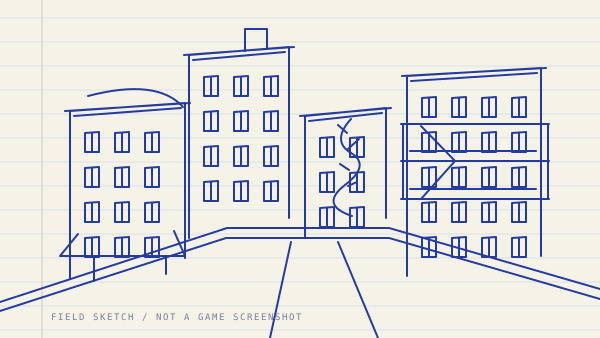
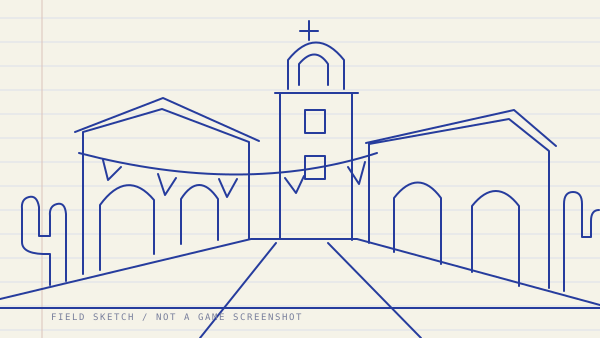
Two maps, the same blue-ink world. Use the scenery as a route, not just a backdrop. These illustrations are our map-inspired drawings, not game screenshots.
Weapons in Doodle Shooter
The rifle is your starting all-rounder. Bring the shotgun into close quarters, use the sniper rifle for distance, and switch to the katana when it is time to close in. Grenades add another option when enemies crowd your route.
Use 1–4 or the mouse wheel to switch. F delivers a quick katana slash before returning to your gun; hold G to throw a grenade further.
Enemies and Bosses
Solo Survival puts your movement and aim under pressure as waves arrive. Keep an escape route open before you stop to reload.
Enemy Types
Scribbled enemies fill the arena during survival waves. Track their positions, avoid getting surrounded, and use height to find room to move.
Boss Encounters
Bosses appear as part of the survival challenge. Watch the encounter, keep moving, and learn its timing before committing to a close-range attack.